K-SAT Logistics ERP

K-SAT Logistics ERP

The full operating system for pickup-and-delivery businesses

K-SAT Logistics ERP is a multi-tenant, AI-assisted enterprise resource planning system built for service businesses that collect, process, deliver and collect payment: carpet cleaning, dry cleaning, couriers, logistics firms.

The principle is simple. An order enters the system once β€” usually as a WhatsApp message β€” and then travels the whole chain without being retyped: scheduling, routing, driver, workshop, customer notification, payment, accounts. Every stage below is a module running in production today.

ReactTypeScriptSupabasePostgreSQL / RLSGoogle Maps APIn8nEvolution APIVapiTelnyxClaude
K-SAT Logistics ERP

Stage 1 β€” The AI WhatsApp assistant

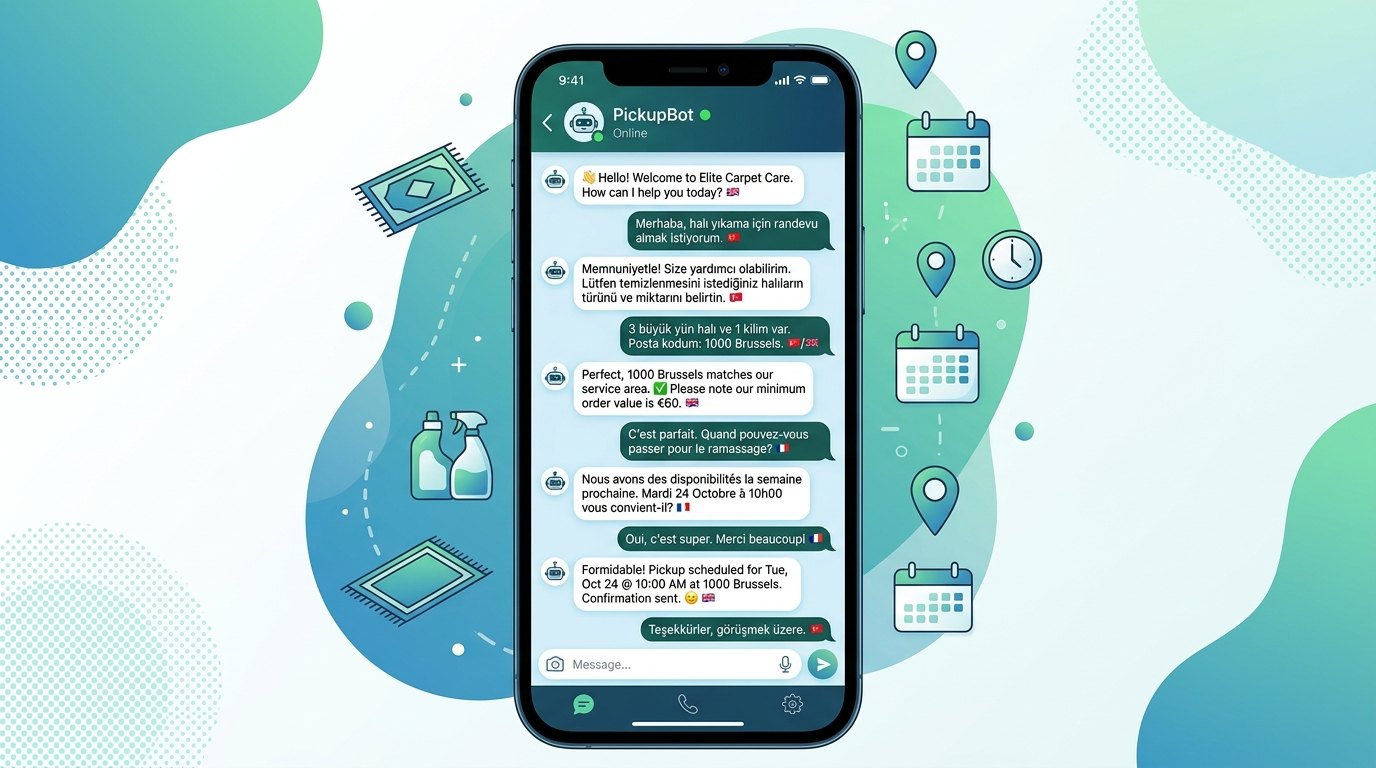
The customer's first contact happens in the app they already use. Unlike menu-driven bots, the assistant understands a sentence written freely.

  • Four languages, detected automatically. French, Dutch, English and Turkish. The assistant replies in the language of the incoming message; the customer never has to pick one.
  • Service area and price, on the spot. The assistant extracts the postcode from the address the customer typed, checks the database for whether that zone is served, and returns the minimum order value and the collection day for it.
  • Booking without a human. As soon as the customer agrees, a pickup appointment is created and stored on a slot that is genuinely free.
  • A human stays in the loop (HITL). On an ambiguous case the assistant hands the conversation to an operator over Telegram and waits for approval. The operator corrects the reply with a /duzelt command, and that correction becomes a rule the assistant applies to later conversations.
Stage 1 β€” The AI WhatsApp assistant β€” K-SAT Logistics ERP

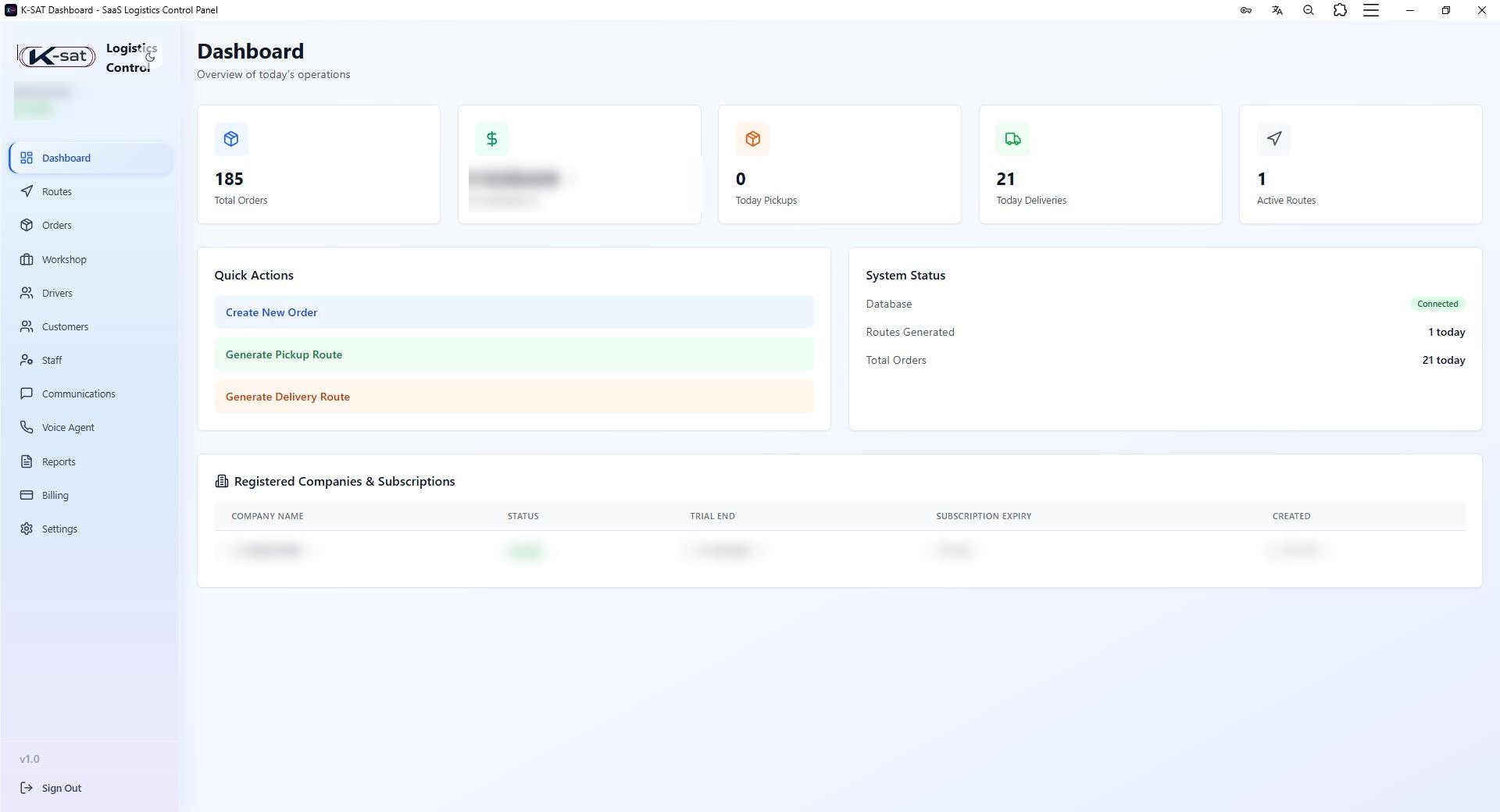
Stage 2 β€” The central dashboard

The single screen from which managers and operators run the whole operation.

  • Today's position and the money. Active orders, the day's pickups and deliveries, routes generated, payments taken β€” updated continuously.
  • Communication centre. Every customer's WhatsApp history is readable live; an operator can take the conversation over by hand in one click and the assistant steps back.
  • Duplicate-customer detection. Two records with the same name at different addresses are not merged blindly: the system compares the geographic distance, offers a merge when it really is a duplicate, and lets you mark "keep separate" when it isn't.
  • Voice agent built in. Calls handled by the Vapi voice agent appear in the panel with their recording and the AI-written summary.
  • Customer ledger. A per-customer account book, exportable as PDF or CSV.
  • Reports. The day's deliveries, performance per driver and workshop statistics, readable on screen and exportable.
  • End-of-day financial report. The day's revenue summary is turned into a CSV every evening and sent automatically to the owner's e-mail and Telegram β€” nobody has to do anything in the panel.
Stage 2 β€” The central dashboard β€” K-SAT Logistics ERP

Stage 3 β€” Optimised routes

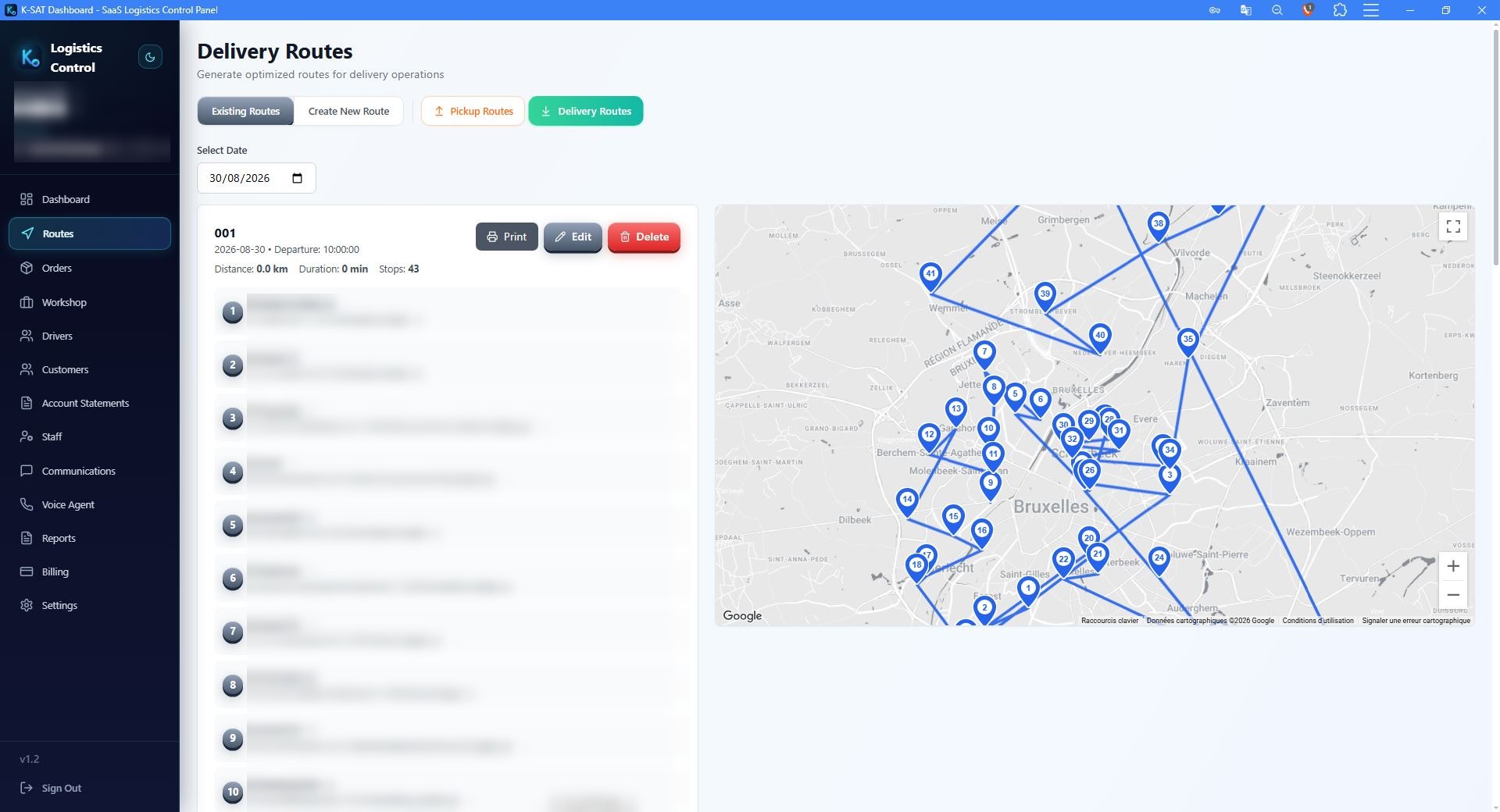
Pickups and deliveries created in the dashboard are grouped into routes before they reach a driver.

  • Every point on one map. Each order shows as a pin; the operator sees the whole day at a glance.
  • The itinerary is calculated for you. The system orders the stops by postcode and zone to produce the shortest run, with distance, duration and stop count.
  • Reorder by hand. The proposed order can be changed by drag and drop, then the route is assigned to a driver.
Stage 3 β€” Optimised routes β€” K-SAT Logistics ERP

Stage 4 β€” The driver app

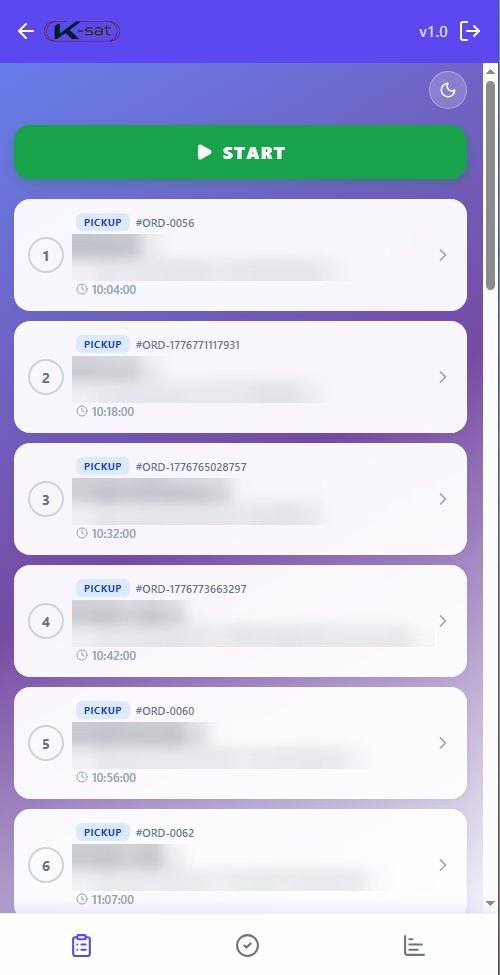
The driver sees only what concerns them: today's route, in order.

  • Two lists and nothing else. "To do" and "Done". Each stop carries its sequence number and estimated time.
  • Navigation in one tap. One button opens the address in Google Maps or Waze; another calls the customer.
  • An arrival time the customer can rely on. Every stop shows its estimated arrival; the driver corrects it from the app when the route runs late.
  • A three-part confirmation. Photo β€” the condition of the items is photographed at pickup and again at delivery, and stored in Supabase Storage. Measurement β€” dimensions and item type are entered and the amount is calculated automatically. Payment β€” cash, card or bank transfer, written straight onto the order.
  • Works without a signal. The app keeps going offline in a basement or car park and syncs when the connection returns.
Stage 4 β€” The driver app β€” K-SAT Logistics ERP

Stage 5 β€” Workshop and production tracking

What happens to the items between pickup and delivery.

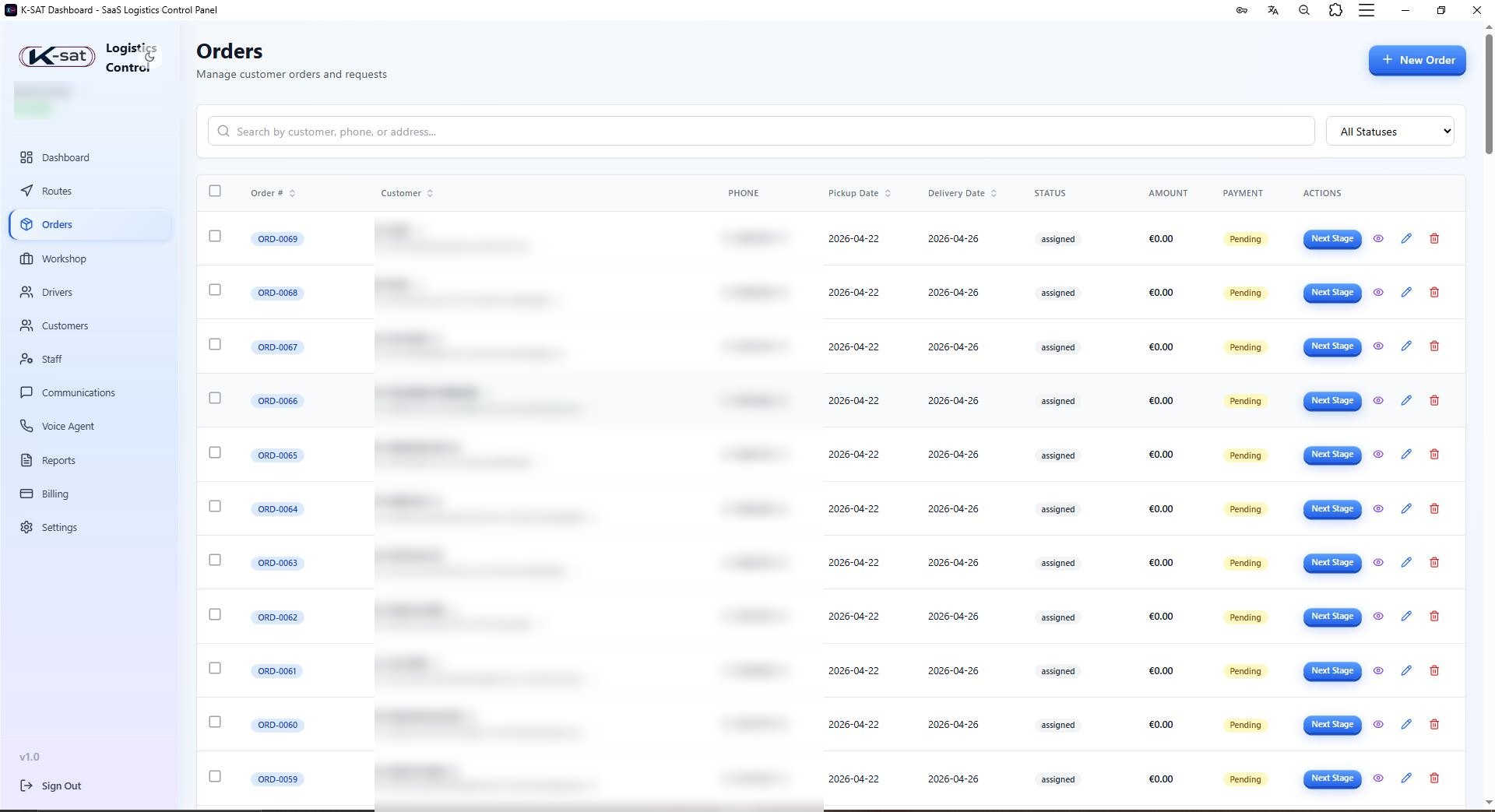
  • One board, one column per stage. Staff see orders sorted by production phase: at the workshop, washing, drying, ready for delivery. An order advances by moving from one column to the next.
  • Measurements verified. The dimensions the driver entered are checked at the workshop; extra pieces or special treatments are added to the order.
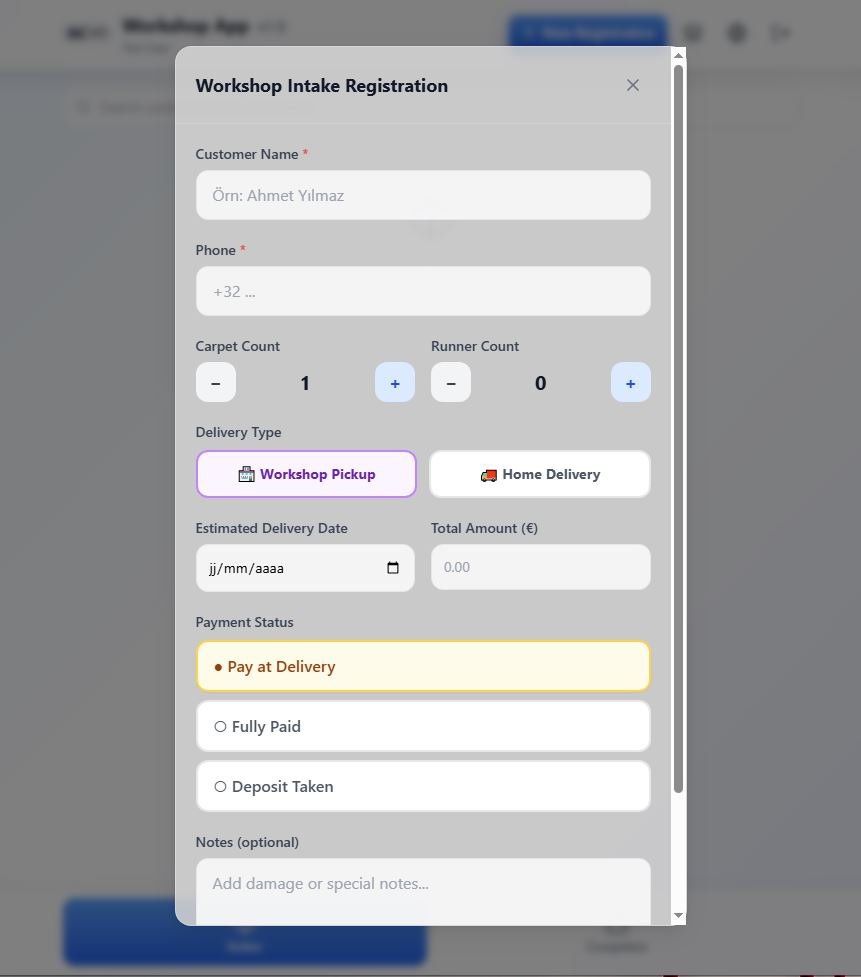
  • Damage documented before work starts. Tears, stains and deformation are photographed on intake. The evidence exists before the item is washed.
  • Before and after photos. Each item is photographed before washing and again when it is finished β€” the record of the work stays attached to the order.
  • Receipt printed from the workshop. The order breakdown prints directly, with nothing retyped.
  • Automatic customer notification. When an order moves to "ready for delivery", an n8n flow sends the customer a WhatsApp message with the breakdown of their order β€” with no one pressing send.
Stage 5 β€” Workshop and production tracking β€” K-SAT Logistics ERP

Security and infrastructure

  • Row-level isolation (RLS). Isolation is enforced in PostgreSQL, not only in the interface: a branch reads only its own data, a driver reads only their own route.
  • Multi-tenant. Several companies, or several branches of one company, share a single installation with separated data.
  • Guarded automations. The n8n flows are redundant and guard-aware: a flow that meets an unexpected state stops rather than writing wrong data.

Getting started

  1. Scoping. We start from your zones, your prices and your collection days β€” that is what the assistant's answers are built on.
  2. Go live. WhatsApp number connected, accounts created for operators, drivers and the workshop.
  3. Your data moves in. Your existing customer file is imported, with duplicate detection.
  4. Pilot route. One real day, one driver, from the first customer message to the last payment taken.
  5. Roll-out. The rest of the fleet and the workshop follow; we stay on support through the first weeks.

Could this run at your company?

Describe your operation in two lines. You get a costed scope back, not a brochure.

Or call us directly +32 460 25 64 64
WhatsApp Β· Brief 24h